Every AI review: the AI CRM for freelancers, pricing, pros and cons
Every AI is an AI CRM that builds itself from your inbox, finds warm leads in your network and bills clients. Here's what it costs and who should skip it.
 Written byDr. Alap ZahidReviews And Guides Editor
Why you can trust The AI Future
Our writers research every product from its official pages, independent tests and user reports, link each claim to its source and correct mistakes openly. Unless an article says otherwise, we haven't tested the product hands-on ourselves. Companies can't pay for coverage or see reviews before they're published.
Read our editorial policy
Our verdict on Every (Every AI Inc.)
Every AI is a promising AI CRM for Gmail-based freelancers and small teams who win work through people they already know, with invoicing built in. Try it if referrals drive your business; skip it for now if you're on Outlook, need e-signatures or want a long track record.
Pricing 14-day free trial; Solo $25/mo billed yearly ($29 monthly); Team $129/mo billed yearly ($149 monthly) for up to 5 people; Custom on request; extra credits from $5
Visit Every (Every AI Inc.)Every AI is an AI CRM for freelancers, consultants, creators and small agencies: it builds your contact list from your inbox and LinkedIn, spots warm leads in people you already know, and puts an agent on each deal that drafts the next email, proposal or invoice. I think it's a smart, fast-moving product for one-person service businesses. It's also young, priced above basic invoicing apps, and almost nobody outside the company has written about using it yet.
One thing first, because the name trips people up. This is Every at every.ai, made by Every AI Inc. in Toronto. It isn't a music generator, it isn't the newsletter company at every.to, and it isn't the multi-model chat app called EveryAI.
Every AI at a glance
- Our rating: 3.5 out of 5 (features 8, ease of use 7.5, value 7, performance 6.5).
- Best for: solo service businesses that win work through referrals and old contacts.
- Pricing: 14-day free trial, then Solo at $25 a month billed yearly ($29 monthly) or Team at $129 a month billed yearly ($149 monthly).
- Website: every.ai.
Every AI in brief
Every AI Inc. was founded in 2025 by Brandon Chu and Satish Kanwar, and both spent years at Shopify. Chu was a VP of Product there; Kanwar co-founded the design studio Jet Cooper, which Shopify bought, then stayed about a decade in operations, product and corporate development roles. You can read that on the about page, which is unusually blunt about what the product isn't.
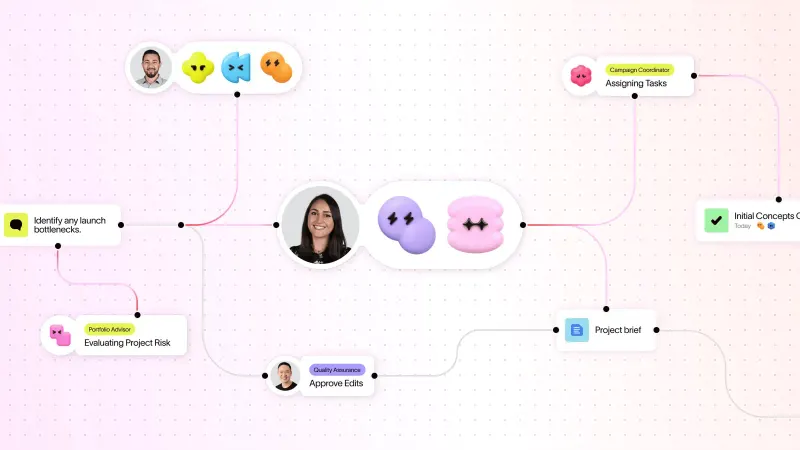
The pitch is straightforward. Most freelancers get their next job from someone they already know, but that network sits in Gmail threads, LinkedIn connections and memory, and nobody keeps a CRM up to date by hand. Every reads the channels you connect, builds People and Companies records for you, and then works the pipeline with an agent.
It's moving fast. The changelog shows version 1.33.0 shipping on November 9 (custom deal stages), with a release roughly every week or two since June. That pace is great if you like new features. It's less great if you want the screens to stay where you left them.
Key features
A CRM that fills itself in
Connect Gmail and Google Calendar (you can add more than one Google account) and Every pulls in the people you email and meet, merges duplicates, and keeps a timeline on each record. It also builds what it calls Business DNA: a profile of what you sell, who buys it and how you sound, taken from your website, socials and inbox. Every agent in the app reads that profile, and you can edit it whenever it gets something wrong.
Honestly, this is the part I'd care about most. The reason small businesses abandon CRMs is data entry, and Every's whole design is built around never asking you to do any.
Warm leads from your own network
On the Prospects page you describe who you want to reach, and Every scores matches from your existing contacts, explains why each one fits, and waits for you to approve them into Deals. It runs on a schedule or on demand. Two limits matter here. It won't scrape LinkedIn (you import your own connection export, or save people with the Chrome extension), and it doesn't sell a cold contact database, which the FAQ spells out plainly.
So if your problem is "I need 500 strangers to email", this is the wrong tool. Look at our list of AI lead generation tools instead.
An agent on every deal
Each deal gets an agent that plans the next step, drafts replies in the channel the person actually uses (email, LinkedIn or Instagram) and shows whose turn it is. By default it drafts and you click send. Since version 1.28.0 there's also Auto mode, which lets Every reply and follow up on a deal without asking you first, switched on one deal at a time.
I'd leave Auto mode off for anything involving money or a client you care about. It's a sensible feature for chasing a lukewarm lead, but an agent writing to clients unsupervised is exactly where small mistakes get expensive.
Proposals, invoices and payments
Once a deal's won, the same record carries the proposal, the invoice and the payment. Invoices go out in USD, CAD, GBP, EUR or AUD, clients pay by card through Stripe, and there's expense tracking, time tracking and a branded client Portal on a yourname.every.ai subdomain. A client can approve a proposal in the Portal, but Every says clearly that an approval isn't a contract or an e-signature, and it doesn't offer either.
Every Agent wherever you already work
This is the most modern bit. You can talk to Every from ChatGPT, from Claude (through an MCP connector), from Slack on the Team plan, from a command-line tool, and from the iPhone app, which left beta on June 15 and now has two-way voice. If you already live inside an AI assistant all day, asking it "invoice Acme for September" and having that land in your CRM is genuinely handy. Our guide to agentic AI covers why this kind of cross-app agent is suddenly everywhere.
Free invoice and proposal generators
Two pieces cost nothing and need no account at all: the invoice generator and the proposal generator. You get a real document with a public link that lasts 30 days. It's a clever funnel, and also the cheapest way to see how Every writes before you hand it your inbox.
Every AI pricing and plans
There's no free plan for the CRM itself. You get a 14-day trial with no card, then pick a plan. The numbers on the plans page look like this:
| Plan | Price | People | Monthly AI credits |
|---|---|---|---|
| Free trial | $0 for 14 days | 1 | 10,000 one-time |
| Solo | $25/mo billed yearly ($300), or $29 month to month | 1 | 10,000 |
| Team | $129/mo billed yearly ($1,548), or $149 month to month | Up to 5 | 50,000 |
| Custom | Contact sales | Unlimited | Custom |
The free trial, in detail
The trial is the full product, but it stops after 14 days or when you've spent the 10,000 trial credits, whichever comes first. After that the app sends you to billing until someone picks a plan. Your data stays saved. The referral program, which pays 25% of a referred customer's subscription up to $300 per referral, isn't available during the trial.
Credits, explained
Credits are where the real cost sits. Any AI action spends them: chat replies, scheduled tasks, enriching a contact, drafting. In the credits guide the rough anchor is that $1 of extra credits buys about 200 credits, so Solo's monthly 10,000 is worth roughly $50 of AI work. Unused monthly credits don't roll over. Extra credits start at $5 and never expire, and you can turn on auto-recharge.
That's fair value, I'd say, as long as you watch the meter. Scheduled tasks that run every morning will chew through credits whether you read the results or not, and I suspect that's where most surprise top-ups will come from.
Performance and independent testing
This is the weak spot of any Every AI review right now: there's very little independent evidence to go on. The iPhone app's App Store page says it hasn't received enough ratings to show a score. I couldn't find a G2, Capterra or Trustpilot profile with reviews, and the product hasn't drawn detailed coverage from reviewers who've used it for months. Nobody has published scores on lead quality or draft accuracy either.
What exists is the company's own material, and to its credit it's more candid than most. The responsible AI page and the about page both say AI output needs review, and Every repeatedly lists what it doesn't do instead of hiding it. Data is encrypted in transit and at rest (it doesn't claim end-to-end encryption), and AI features can send the content a request needs to providers such as Anthropic, OpenAI or Google.
So treat the trial as your test. Connect one inbox, approve a handful of prospects, and see whether the drafts sound like you. Two weeks is probably enough to tell.
The gaps and limits
The gaps are real, and Every names most of them itself:
- No contracts or e-signatures, so you'll likely keep a separate tool for signing.
- No appointment-booking pages; it can read and update Google Calendar, but clients can't book themselves.
- It's not an accounting ledger. Tax, payroll and bookkeeping stay in QuickBooks, Xero or with your accountant.
- Google is the main supported inbox; I couldn't find Outlook listed as a generally available connection.
- There's a native iPhone app, but no native Android app that I could find.
The Outlook gap would rule it out for a lot of consultants straight away. That surprised me, given how much of the product depends on reading your email.
Best suited to referral-driven freelancers
Every makes most sense for a freelancer, solo consultant or creator who gets work from referrals, already uses Gmail, and currently juggles a spreadsheet, an invoicing app and a notes doc. Small founder-led teams of up to five can share relationship context on the Team plan, including who on the team knows a prospect best. It's probably overkill if you send three invoices a month and never chase leads.
Every AI alternatives worth considering
- HoneyBook fits creatives and event pros who need contracts, e-signatures, scheduling and payments in one place; plans start at $29 a month after a 30-day trial.
- folk is a lighter, relationship-first CRM with a LinkedIn extension, AI fields, iOS and Android apps, and its own MCP connection, but no built-in invoicing.
- HubSpot has free tools for up to two users and a full marketing and sales suite if you grow; it's heavier to set up but far more established. If you're weighing enterprise options, our Salesforce AI review covers the other giant.
For broader shortlists, see our picks for the best AI sales assistants and AI business assistants.
Verdict: who should use it and who should skip it
I like what Every is trying to do. A CRM that fills itself from your inbox, finds the client you forgot about and then invoices them from the same record is exactly what a one-person business needs, and $25 a month on a yearly plan isn't outrageous for that. The ChatGPT and Claude connections make it feel current in a way older CRMs don't.
Still, it's a year-old product with almost no public track record, Google-only email and no contracts. So, start the free trial if you're a Gmail-based freelancer who lives on referrals. Skip it for now if you're on Outlook, need e-signatures, or want a product with years of user reviews behind it.
FAQ
Is Every AI an AI music generator?
No. Every AI at every.ai is a CRM and business agent for service businesses, with no music features. The name gets mixed up with "every AI music generator" searches. If you're after songs or beats, our Suno AI review is a better starting point.
Is Every AI free?
Not really. There's a 14-day trial with 10,000 credits and no card, then you'll need a paid plan. Only the invoice and proposal generators stay free.
How much does Every AI cost?
Solo costs $25 a month billed yearly ($300) or $29 month to month, with 10,000 AI credits a month for one person. Team costs $129 a month billed yearly or $149 monthly for up to five people and 50,000 credits. Custom pricing covers bigger teams, and extra credits start at $5.
Is Every AI the same company as Every.to?
No. Every AI Inc. is a Toronto startup founded by Brandon Chu and Satish Kanwar, and it says it doesn't make Cora, Spiral, Sparkle or Monologue.
Does Every AI send emails without asking me?
Not by default. Every drafts messages and waits for you to approve them before anything goes out. Auto mode, added in version 1.28.0 on September 30, lets it reply and follow up on its own over email, LinkedIn or Instagram, but you switch it on deal by deal rather than for your whole account. Scheduled tasks that run overnight still only prepare drafts, so nothing leaves without your say-so unless Auto mode is on.
Does Every AI scrape LinkedIn for leads?
No. Every doesn't scrape LinkedIn or sell contact lists. You import your own LinkedIn connection export, upload a CSV, connect Google, or save people with the Chrome extension, and Every finds warm leads among those contacts. You can also connect LinkedIn messages so deals stay current.
What we like
- Builds and updates the CRM from Gmail, Calendar, LinkedIn and Instagram with no manual data entry
- Finds warm leads in your own network and explains why each one fits
- Proposals, invoices, Stripe payments and a client Portal on the same deal
- Works from ChatGPT, Claude, Slack, the CLI and a native iPhone app
- Unusually candid about its own limits and keeps sends behind your approval by default
What could be better
- Almost no independent reviews or app-store ratings yet
- No contracts, e-signatures or booking pages
- Google is the main supported inbox and there's no native Android app
- Credit-based AI usage means heavy scheduled tasks can lead to top-ups