Maestra AI review 2026: pricing, features, free trial and verdict
Maestra AI transcribes, subtitles and dubs video in 125+ languages and runs live AI interpretation. Strong toolkit, confusing pricing and mixed billing reviews.
 Written byMuhammad Usman SiddiquiFounder and editor-in-chief
Why you can trust The AI Future
Our writers research every product from its official pages, independent tests and user reports, link each claim to its source and correct mistakes openly. Unless an article says otherwise, we haven't tested the product hands-on ourselves. Companies can't pay for coverage or see reviews before they're published.
Read our editorial policy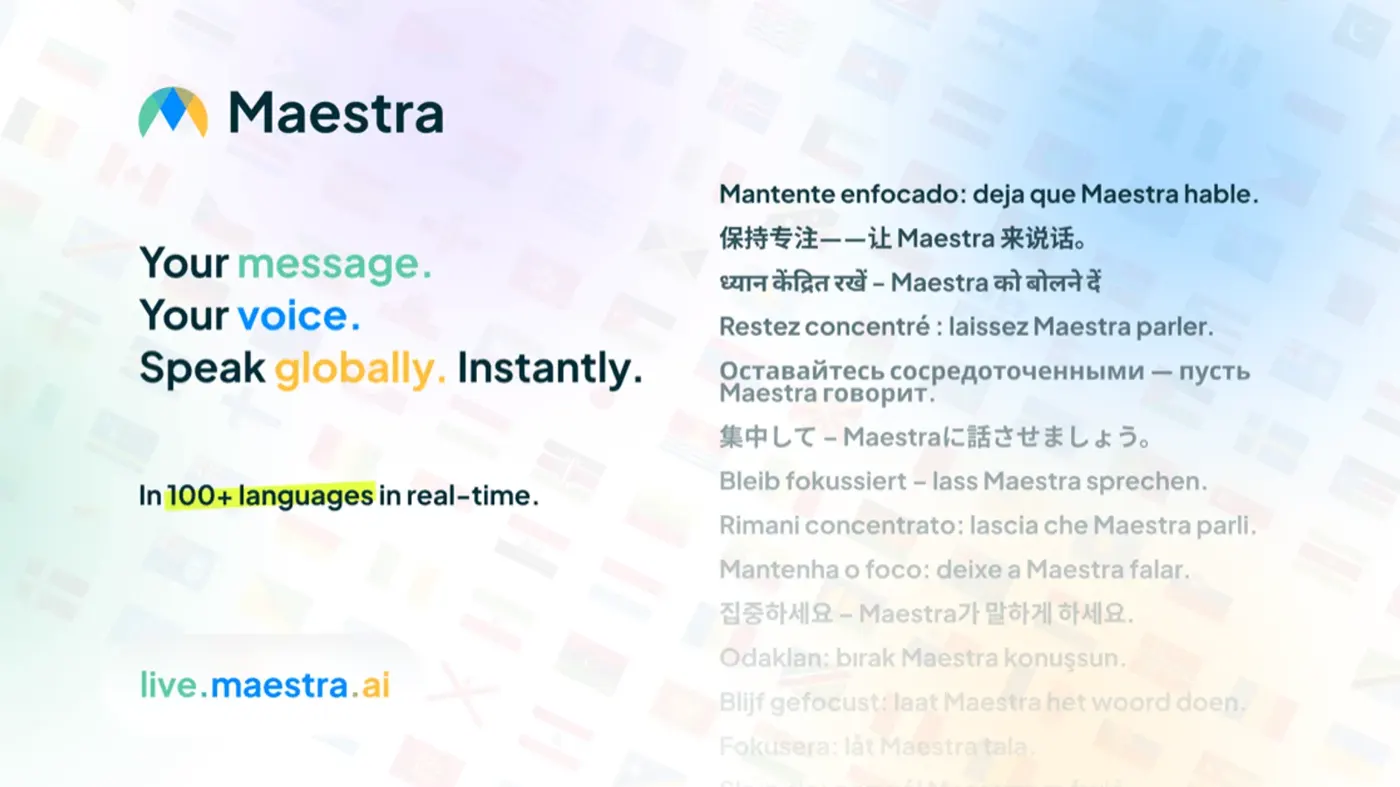
Our verdict on Maestra AI (Katara Tech)
Maestra AI is a capable localisation tool with broad language coverage, strong subtitle exports and a useful live interpretation product. Use it if you subtitle or dub video every month or run multilingual events; skip it if you need compliance paperwork, only transcribe occasionally or want simple pricing.
Pricing Free trial; pay as you go $12 per 60 minutes; transcription from $29/mo ($23 annual); subtitles and voiceover from $49/mo ($39 annual); Live from $19/mo ($15 annual); Events from $799/day; Enterprise custom
Visit Maestra AI (Katara Tech)Maestra AI is a browser-based tool that transcribes, subtitles, translates and dubs audio and video in 125+ languages, and it also runs live captions and AI interpretation for meetings and events. It's worth a look if you localise video regularly or run multilingual events, because the editor and export options are solid. It's harder to recommend if you only need the odd transcript, since the pricing is split into four separate products and the user reviews on billing are rough.
My short version: good toolkit, confusing price sheet. I'd give it 3.5 out of 5.
If you searched for "maestro ai", this is almost certainly the product you meant. The company behind it is Katara Tech, Inc., and the product lives at maestra.ai.
Maestra AI in brief
Maestra now comes in two halves. Maestra Studio handles files: you upload a recording (or paste a YouTube or Dropbox link) and get back a transcript, subtitles, a translation or a dubbed version you can edit before export. Maestra Live works on a live audio feed instead, from a room microphone, Zoom, Microsoft Teams, Google Meet, OBS or vMix, and pushes captions and AI voice to attendees' phones a few seconds behind the speaker.
The mental model I'd use is a pipeline with three stages. Speech recognition turns audio into timed text. Machine translation turns that text into other languages (Maestra lets you pick OpenAI or DeepL on higher plans). Text-to-speech, optionally with a clone of the original voice, turns the translated text back into audio. Every stage can introduce errors, and those errors stack: a misheard name in stage one becomes a mistranslated name in stage two and a mispronounced one in stage three. That's why the editor matters more than the headline accuracy number.
Everything runs in the browser. There's no desktop app or offline mode, so you'll need a decent connection for long uploads.
Key features
Transcription with speaker labels
The transcription editor puts the video and text side by side, with timestamps and automatic speaker tags you can rename. Click a line and the player jumps to it. Going by the video-to-text page, you can export TXT, DOCX, PDF or JSON, and the AI can also write summaries, chapters and even quizzes from a transcript. That last one's a nice touch for teachers turning lectures into study notes.
Imports cover MP4, MOV, AVI, MKV, WebM and FLV, plus direct pulls from Zoom recordings.
Subtitles and captions
This is probably Maestra's strongest module. The subtitle generator exports SRT, VTT, SCC, STL, CAP, TXT, TTML and SBV, which covers YouTube, most web players and broadcast workflows. You can split and merge lines, fix timing, and style burned-in captions (font, colour, background, position). Translation happens in the same editor, so you can produce a Spanish and a German subtitle file from one upload.
The page title promises "99% Accurate AI Captions". That's Maestra's own claim, and I couldn't find a published word error rate or independent benchmark behind it.
AI dubbing, voice cloning and lip sync
The video dubber swaps the original audio for an AI voice in the target language. You can pick a stock voice, clone the speaker's own voice (supported in 30+ languages, not all 125), and adjust pacing, emotion and the balance between original and dubbed audio. Lip sync is available too, but only on the Business voiceover plan and above, at an extra $2 per minute.
Honestly, the 30-language limit on cloning is the detail I'd check first. If your target market speaks a language outside that set, you're back to stock voices.
Maestra Live for meetings and events
Live is where Maestra seems to be putting its marketing weight right now: the homepage leads with it. Attendees scan a QR code or open a link, pick a language in the browser, and either read captions or listen to an AI voice. No headset rental and no app install. Organisers get a reusable room link, and you can add a language mid-event.
It connects to Zoom, Teams, Google Meet, OBS and vMix, plus webhooks. There's a Chrome extension on the minutes-based real-time plans as well.
Teams, API and security basics
Premium plans and above add Maestra Teams with shared billing, extra seats and API access. On security, Maestra encrypts data in transit with TLS and relies on Google Cloud and AWS for AES-256 encryption at rest, with data stored in the United States. Its security page points to SOC 2 and ISO 27001 audits of those cloud providers; I didn't see a SOC 2 report or HIPAA statement for Maestra itself. If you handle medical or legal recordings, ask for that in writing before uploading anything.
Maestra AI pricing and plans
This part's fiddly. Maestra sells transcription, subtitles, voiceover and real-time as separate products, each with its own plans, on one long pricing page. Annual billing cuts roughly 20%.
| Product | Plan | Monthly | Annual (per month) | What you get each month |
|---|---|---|---|---|
| Transcription | Pay as you go | $12 per 60 credits | n/a | 60 minutes |
| Transcription | Lite | $29 | $23 | 180 minutes |
| Transcription | Basic | $49 | $39 | 360 minutes, AI summary, custom dictionary |
| Transcription | Premium | $99 | $79 | 900 minutes, 1 extra seat, API |
| Subtitles | Pay as you go | $12 | n/a | 60 minutes, or 30 minutes translated |
| Subtitles | Basic | $49 | $39 | 360 minutes, or 180 translated |
| Subtitles | Premium | $99 | $79 | 900 minutes, or 450 translated |
| Subtitles | Business | $199 | $159 | 1,800 minutes, or 900 translated, DeepL, glossary |
| Voiceover | Basic | $49 | $39 | 120 minutes dubbed |
| Voiceover | Premium | $99 | $79 | 300 minutes, or 100 with pro voices and cloning |
| Voiceover | Business | $199 | $159 | 600 minutes, or 200 cloned, lip sync at $2/min |
| Voiceover | Business Plus | $449 | $359 | 1,500 minutes, or 500 cloned |
| Live | Personal | $19 | $15 | Unlimited sessions up to 15 minutes each |
| Live | Meetings | $49 per user | $39 per user | Sessions up to 75 minutes, 2 languages |
| Live | Organizations | $449 | $359 | Sessions up to 3 hours, 50 viewers, 3 languages |
| Live | Events | From $799 per day | n/a | 3 rooms, 100 viewers per room, 5 languages |
Enterprise is custom-priced across all products. Students, teachers and non-profits can get 20% off, but you pay full price first and then ask support for the refund, which is a clunky way to run a discount.
A worked example with real numbers
Say you publish eight 15-minute videos a month and want English subtitles plus a Spanish translation. That's 120 minutes of source video. Because translated subtitles count at half the allowance, the Basic subtitle plan's 180 translated minutes covers it, at $49 monthly or $39 on annual billing. Per minute of finished video, that's about $0.33 annually.
Now add a Spanish dub of the same 120 minutes. The voiceover Basic plan covers exactly 120 minutes for another $39 to $49. If you want the original speaker's cloned voice, you'd need voiceover Premium ($79 to $99), since cloning eats the allowance three times faster. Add lip sync and you're on Business at $159 a month plus $240 for the lip-synced minutes. So the same channel can cost anywhere from $78 to roughly $400 a month depending on which boxes you tick. I think that spread is the single biggest thing to understand before you subscribe.
The free trial, and its limits
No permanent free plan. There's a free trial: the tool pages say you can try subtitles, transcription and dubbing with no credit card or account, including voice cloning and lip sync. The pages I read don't say how many minutes the trial covers, and one Trustpilot reviewer complained the site asks for payment right before download. I'd assume the trial is for checking quality on a short clip, not for finishing a real project.
Performance and independent testing
There isn't much independent testing out there. Maestra doesn't publish a word error rate, and I couldn't find a third-party benchmark that measured it against tools like Otter or Rev on the same audio. Without that, the 99% figure is marketing.
What exists is user feedback, and it splits sharply. Trustpilot shows 3.4 out of 5 from 22 reviews, with 50% five-star and 45% one-star, almost nothing in between. The positive reviews mostly praise language coverage. A PhD researcher called it "one of the only transcription tools that worked reliably for Tamil when many other platforms simply failed or produced unusable results." A church using Live for Spanish and English services said only a small number of words needed fixing, even with liturgical vocabulary. Another reviewer singled out English-Japanese translation with the OpenAI and DeepL options.
The negative reviews are almost all about money and support, not output quality. One user wrote: "It costed me $49 for 360 minutes of subscription." They then said there was no working way to cancel online. Others reported credits disappearing, unanswered tickets and having to pay $199 just to test an upper-tier feature. In fairness, a couple of reviewers said Maestra refunded double charges or accidental renewals quickly, and the company has replied to some complaints offering refunds.
My read: the speech and translation layer probably performs well for most common languages and seems unusually good for some less-supported ones, while the billing experience is the weak spot.
Limits and failure points
- Pricing is split by product, so a team that transcribes, subtitles and dubs may need three subscriptions.
- Voice cloning covers 30+ languages, far fewer than the 125+ for transcription.
- Lip sync sits behind the $159-plus Business tier and costs an extra $2 per minute.
- Live Personal caps each session at 15 minutes, which is short for anything beyond a quick conversation.
- There's no published accuracy benchmark and no Maestra-specific SOC 2 or HIPAA statement on the security page.
- Subscriptions renew automatically, and several users say cancelling took a support ticket.
Best suited to
Maestra fits people who localise video often and want subtitles and dubbing in one editor: YouTube creators going multilingual, training teams, universities and small media shops. It's also a sensible pick for churches, NGOs and conference organisers who want live AI interpretation without renting headsets. Researchers working in languages like Tamil may find it handles audio that bigger English-first tools struggle with.
It's a weaker fit for meeting notes (dedicated note-takers do that better and cheaper), for regulated industries that need compliance paperwork, and for anyone who'll use it twice a year. For occasional jobs, the $12 pay-as-you-go pack is the safer start.
Maestra AI alternatives worth considering
Otter.ai is the better choice if most of your audio is meetings and you want live notes and summaries rather than subtitles or dubbing. Our Otter AI review covers its plans and limits.
Descript suits you if you edit podcasts or videos by editing the transcript, with dubbing as a side feature. See our Descript AI review.
HeyGen makes more sense when the dub needs to look convincing on camera, since avatar video and lip-synced translation are its focus. Our HeyGen AI review goes through it.
For a wider comparison, our list of the best AI video dubbing tools ranks a dozen options, and the explainer on whether AI can do dubbing covers where synthetic voices still fall short.
Verdict
Maestra's a capable localisation tool with a wide language list, good subtitle exports and a Live product that looks genuinely useful for events. I'd use it if you subtitle or dub video every month and can commit to one module. I'd skip it if you need compliance guarantees, only transcribe occasionally, or want simple pricing, because the split plans and the billing complaints are real costs. Start with the trial or the $12 pack, check your own audio, and set a reminder before the renewal date.
FAQ
What is Maestra AI?
Maestra AI is an online platform from Katara Tech for transcription, subtitles, translation and AI dubbing in 125+ languages. Its Live product adds real-time captions and AI interpretation for meetings and events.
Is Maestra AI free?
Not permanently. It has a free trial with no credit card needed, and paid options start at $12 for a 60-minute pay-as-you-go pack or $23 a month for transcription Lite on annual billing.
Is Maestra AI the same as Maestro AI?
People often type "maestro ai" when they mean Maestra. Several unrelated products use the Maestro name, so check that you're on maestra.ai if you want the transcription and dubbing tool.
How accurate is Maestra AI?
Maestra advertises 99% accuracy for subtitles, but it doesn't publish a word error rate or independent benchmark. User reviews praise its handling of multilingual and less common languages; accuracy will still depend on your audio quality and accents.
Can Maestra AI clone my voice?
Yes. Voice cloning works in 30+ languages and is included on voiceover Premium and above, where cloned minutes use up the allowance faster than stock voices.
Does Maestra AI work with Zoom?
Yes. You can import Zoom recordings for transcription, and Maestra Live sends captions and translation into Zoom, Microsoft Teams and Google Meet during calls.
Ratings around the web
Ratings as of 20 Nov 2026. Scores change over time; follow the links for the latest.
What users are saying
We read 16 Trustpilot reviews from 2024 to June 2026, which is all the platform shows in full for Maestra. Praise centres on multilingual accuracy, live captions for churches and NGOs, and helpful support in some cases; complaints focus on auto-renewal, cancellation, lost credits and unanswered tickets. The sample is small, so treat these percentages as rough.
Common praise
- Reliable transcription in less common languages such as Tamil
- Accurate live captions and translation for services and events
- Easy-to-use interface and strong OpenAI and DeepL translation
Common complaints
- Subscriptions auto-renew with no easy way to cancel online
- Support tickets left unanswered after payment
- Free trial pushes users to pay before download
Based on: Trustpilot reviews of Maestra, Trustpilot reviews of Maestra (page 2)
What we like
- Transcription, subtitles and translation in 125+ languages in one browser editor
- Wide subtitle export list: SRT, VTT, SCC, STL, CAP, TTML, SBV and more
- Voice cloning and lip sync for dubbing, with OpenAI or DeepL translation on higher plans
- Maestra Live gives attendees captions and AI voice in the browser with no app or headsets
- Users praise its handling of less common languages such as Tamil
What could be better
- Separate plans for transcription, subtitles, voiceover and live make costs hard to predict
- Voice cloning covers only 30+ languages and lip sync needs the $159+/mo Business plan plus $2/min
- No published accuracy benchmark and no Maestra-specific SOC 2 or HIPAA statement
- Trustpilot reviewers report auto-renewals, hard cancellations and slow support replies