Open Case AI review 2026: features, pricing, pros and cons
Open Case AI (OpenCase) is a cited legal research assistant for US lawyers. We weigh its free plan, $82 Pro tier, Word add-in and self-run accuracy benchmark.
 Written byRahis SaifiCo-founder and news editor
Why you can trust The AI Future
Our writers research every product from its official pages, independent tests and user reports, link each claim to its source and correct mistakes openly. Unless an article says otherwise, we haven't tested the product hands-on ourselves. Companies can't pay for coverage or see reviews before they're published.
Read our editorial policy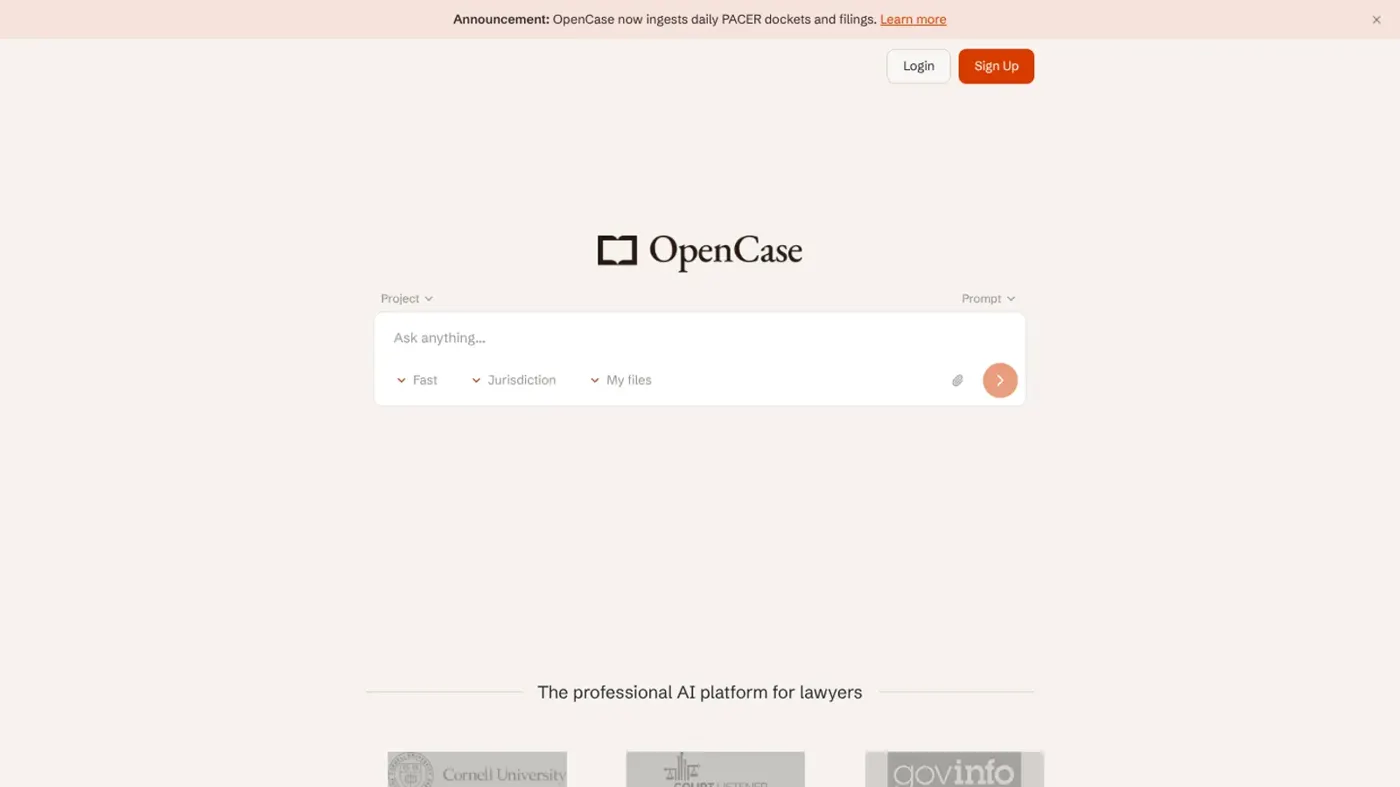
Our verdict on OpenCase (Open Case AI)
OpenCase is a good-value, citation-first research assistant for US solo attorneys and small firms, and the free plan is enough to judge it. Skip it if you work outside the US, need large-record review on a budget, or want independent proof of its accuracy claims.
Pricing Free; Pro $99/seat/mo ($82 billed yearly); Business $299/seat/mo ($224 billed yearly); Enterprise custom
Visit OpenCase (Open Case AI)Open Case AI (the product's own spelling is OpenCase) is a legal research and drafting assistant for American lawyers, and it's built around one promise: every answer cites real law you can click and check. The free plan's tight but genuinely usable, and Pro costs $99 a month or $82 a month billed yearly. If you're a solo attorney or a small firm that can't justify Westlaw money, I think it's worth a serious look.
Just don't treat it as a lawyer. OpenCase says plainly in its terms of service that it isn't a law firm, doesn't give legal advice and can produce outputs that are "incomplete, outdated, or contain inaccuracies". You still have to read the cases.
What caught my eye is the company's own citation benchmark. It's impressive. It's also self-run, and it shows something the marketing doesn't shout about, which I'll get to below.
Open Case AI at a glance
| Item | Details |
|---|---|
| Our rating | 4 out of 5 |
| Best for | Solo attorneys, small US firms and law students who need cited research on a budget |
| Pricing | Free; Pro $99/seat/month ($82 billed yearly); Business $299/seat/month ($224 billed yearly); Enterprise on request |
| Free trial | 3 days on Pro and Business |
| Website | opencase.com |
OpenCase in brief
OpenCase is made by OpenCase, Inc., a San Francisco company. It's a web app plus a Microsoft Word add-in, browser extensions and an API, and it's aimed squarely at people who practise US law. You ask a legal question in natural language; it answers with links to the court opinions, statutes and regulations behind each point. If you searched for "opencase ai" or "open case ai", this is almost certainly the product you meant.
The data side is what makes it different from a general chatbot. Going by its about page, the app answers from public, official sources: CourtListener for federal and state opinions, Harvard's Caselaw Access Project for historical case law, the US Code and eCFR, and the Federal Register through GovInfo. It lists 38M+ indexed documents from 1,300+ sources. It also now pulls in daily PACER dockets and filings, which matters if you follow live federal cases.
The pitch is "priced for a firm of one". That's a fair description of who it's for. Big firms already pay for Westlaw, Lexis or Harvey; OpenCase is going after the lawyer who can't.
One small thing I liked (and don't see often): the company says citations open to the exact passage they rely on, and it flags cases that later courts have questioned or overruled. That's the feature I'd look at first in a trial, because a confident answer built on overturned law is worse than no answer.
Key features
Cited legal research
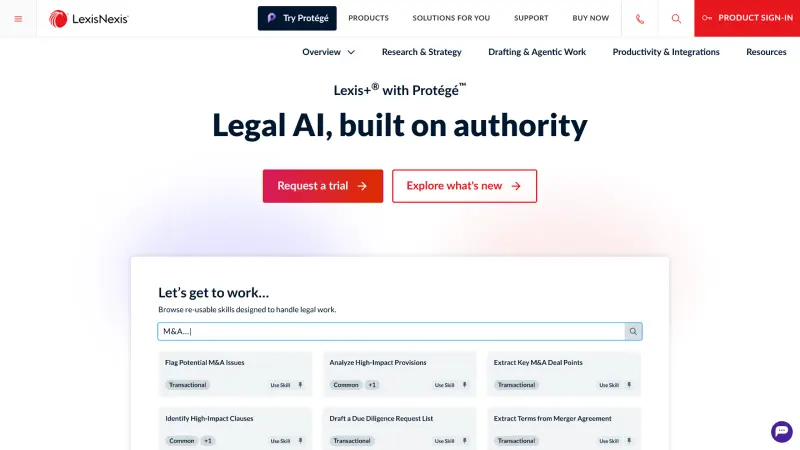
Research is the core. On the research feature page, OpenCase says verified cases, statutes and regulations link to the original document, and anything it can't confirm gets marked so you know what to check before it reaches a brief. You can filter by jurisdiction, date, court level and topic. There are two speeds: Fast for quick lookups and Deep for slower, more careful work, plus an "Ultra mode" that's rationed by plan.
Will it replace a proper citator? I doubt it. But a flag on unconfirmed citations is exactly what a busy solo needs, given how many lawyers have been sanctioned for filing invented cases.
Microsoft Word add-in and drafting
The Word add-in brings research and editing into the document you're already writing, and it's included even on the free plan. You can rewrite, expand or tighten a section with your file's facts in view. The law-student page also mentions Google Docs support. For most lawyers, I'd guess this is the feature that decides whether the tool sticks, since nobody wants to copy text between tabs all day.
File analysis and tabular review
You can upload contracts, pleadings and case files, then ask questions across them with the law alongside. The small-firm page describes a tabular review that asks the same questions of every file in a matter and returns one table, with each answer linked to its page. The catch is the page cap: 10 pages on Free, 100 on Pro and 1,000 on Business. A single deposition transcript can blow through 100 pages, so Pro users with big records will feel that limit.
Contract review against your playbook
OpenCase flags clauses that depart from your firm's standards and suggests a redline for each. Shared playbooks only arrive on team plans, though, so a solo on Pro gets less out of this than a firm on Business.
Case monitoring, calendar and time tracking
Case monitoring runs weekly on Free and daily on paid plans. There's a calendar too. The time-tracking tool reads your email and calendar activity and drafts timesheet entries by matter, which you approve, edit or discard. That's a sensible design: nothing reaches an invoice without you. Still, giving any app read access to your inbox is a call each firm should make deliberately.
Security
The company says files and chats are encrypted at rest and in transit (AES-256 and TLS 1.2+), uploads aren't used to train models, and data's stored in the United States. It holds a SOC 2 Type II report and ISO/IEC 27001 and 42001 certifications. Those are the boxes a cautious managing partner will want ticked.
Pricing and plans
Over on the plans page, there are four tiers, and paying yearly saves up to 25%. Prices are per seat.
| Plan | Monthly billing | Billed yearly | Main limits |
|---|---|---|---|
| Free | $0 | $0 | 3 research questions a day, 10-page file analysis, 25 MB storage, 1 month of chat history, weekly case monitoring, up to 2 seats |
| Pro | $99/seat | $82/seat | Unlimited questions, Ultra mode 3 a day, 100-page analysis, 10 GB storage, Google Drive and SharePoint, daily monitoring, up to 10 seats |
| Business | $299/seat | $224/seat | Ultra mode 10 a day, 1,000-page analysis, 300 GB shared storage, team management, shared projects and playbooks, up to 30 seats |
| Enterprise | Custom | Custom | Single sign-on, API access, custom SLA and DPA, dedicated account manager |
So what does the free plan really include? Three research questions a day is enough to judge answer quality, not enough to do real work. You do get the Word plugin and calendar integration, which is more generous than I expected. The one-month chat history is the sneaky limit: research you did in October won't be there in December.
Pro at $82 a month is, in my view, the plan most solos should compare against their current research bill. Business is a big jump. At $224 a seat billed yearly, a 5-person team pays $13,440 a year, and that's the point where I'd want a demo and a written answer on how the citation checking works.
Both paid plans come with a 3-day free trial. Three days is short; I'd line up real questions from an open matter before starting it.
Performance and independent testing
The main evidence on accuracy comes from OpenCase itself. Its citation benchmark put 120 hard questions about American law to OpenCase and to leading general models, then checked every case, statute and rule they cited. Each general model answered twice: once with no tools and once with its maker's web search. A second pass rechecked every citation marked as hallucinated.
OpenCase Deep came top with 99.7% of citations correct. That's a great number. Look further down, though, and OpenCase Fast scored 96.5%, below Claude Opus 5.5 with no tools at all (98.9%) and level with Claude Haiku 5.5 without tools. The company publishes that openly, which I respect; it also means the cheaper, quicker mode isn't clearly better than a top general model at getting citations right.
The weak spots are on the general-model side. In OpenCase's hallucinations report, Muse Spark 1.3 without tools got 25.4% of its citations wrong and invented at least one authority in 45% of its answers. Gemini 3.8 Flash without tools got 16.7% wrong.
Three caveats matter here:
- OpenCase designed and ran the benchmark, and says so in its limitations section. It publishes every question, citation and verdict so anyone can recheck the work.
- The score is per citation. It doesn't measure whether a real case actually supports the point it was cited for, which is where a lot of real-world mistakes happen.
- Each general model ran at its default reasoning level, and a higher setting might cite more accurately.
I couldn't find an independent, published head-to-head test of OpenCase by a third party, and I couldn't verify any YouTube reviews or rating-site scores for it. So treat the 99.7% as a vendor claim with unusually open data, not a settled fact.
Best suited to
Solo practitioners and small firms are the obvious fit. OpenCase has use-case pages for personal injury, immigration, family and corporate work, and the pricing tops out at 30 seats on Business, which tells you who it's built for.
Law students could get a lot out of the free tier for class prep, since every answer points to the opinion itself. Three questions a day is stingy for exam season, though.
Paralegals doing first-pass research are another natural audience; if that's you, our piece on whether AI will replace paralegals covers the bigger picture. And it's probably a poor fit for anyone outside the US. The about page mentions sources in 210+ countries and territories, but the product, the use cases and the PACER feed are all American.
Open Case AI alternatives worth considering
CoCounsel is Thomson Reuters' assistant, connected to Westlaw and Practical Law, and the company says it's trusted by 1M users. Pick it if your firm already pays for Westlaw and wants proprietary editorial content behind the answers. Our CoCounsel AI review has the details, and the Westlaw AI review covers the research side.
Eve is built for plaintiff firms, from intake to demand letters. It suits a PI shop that wants one system for the whole practice; see our Eve Legal AI review.
A general assistant such as Claude is the cheap comparison point. OpenCase's own benchmark shows Claude Opus 5.5 citing accurately even without tools, though it won't give you PACER dockets, matter folders or a negative-treatment flag. For a wider list, our roundup of the best lawyer AI tools compares ten options.
Verdict: who should use it and who should skip it
I'd give OpenCase 4 out of 5. It does the one thing a legal AI has to do (show its sources) and prices it for small firms, with a free plan that lets you judge it on real questions before paying. The Word add-in and flags on unconfirmed citations are the features that would sell me.
Skip it if you're outside the US, if your matters regularly involve records far over 100 pages and you won't pay for Business, or if you need proof from someone other than the vendor before trusting the accuracy numbers. Honestly, the fact that its fast mode trails a general Claude model in its own benchmark gave me pause. For everyone else, start on Free, run your hardest research question through Deep mode and click every citation. That'll tell you more than any review.
FAQ
Is Open Case AI free?
Yes, there's a free Basic plan. It allows 3 research questions a day, file analysis up to 10 pages, 25 MB of storage, one month of chat history, weekly case monitoring and the Word plugin. Paid plans start at $99 per seat a month, or $82 billed yearly, with a 3-day trial.
Is OpenCase accurate?
In OpenCase's own 120-question benchmark, its Deep mode got 99.7% of citations right and Fast mode 96.5%. The company ran that test itself, though it publishes all the data. It's still an AI tool that can make mistakes, so you'll want to open every citation before relying on it.
Does OpenCase give legal advice?
No. OpenCase's terms say it isn't a law firm, doesn't give legal advice and doesn't create an attorney-client relationship. It's a research and drafting tool for trained legal professionals, and users must be at least 18. If you're not a lawyer and need help with a case, speak to a licensed attorney.
Where does OpenCase get its law from?
From public, official sources: CourtListener opinions, the Caselaw Access Project, the US Code and eCFR, and the Federal Register via GovInfo. PACER dockets are added daily.
Is my data safe with OpenCase?
OpenCase says it encrypts files and chats at rest and in transit, stores data in the United States and doesn't use your uploads to train models. It holds a SOC 2 Type II report and ISO/IEC 27001 and 42001 certifications. Check your bar's guidance on cloud tools before uploading client files.
What we like
- Answers link to the primary law behind each point, with unconfirmed citations flagged
- Free plan includes the Microsoft Word add-in and calendar integration
- Draws on official sources such as CourtListener, the Caselaw Access Project and daily PACER dockets
- Publishes every question and verdict from its citation benchmark
- SOC 2 Type II, ISO 27001 and ISO 42001, with uploads not used for training
What could be better
- Accuracy evidence is a benchmark the vendor designed and ran itself
- Fast mode scored below Claude Opus 5.5 without tools in that same benchmark
- Free plan limited to 3 questions a day and one month of chat history
- Pro caps file analysis at 100 pages; Business is a steep jump to $224+ per seat