Lexis AI review: Lexis+ with Protégé features, pricing, accuracy and verdict
Lexis AI is now Lexis+ with Protégé. We weigh its Shepard's-backed research and drafting, hidden pricing, past accuracy tests and the best alternatives.
 Written byMuhammad Usman SiddiquiFounder and editor-in-chief
Why you can trust The AI Future
Our writers research every product from its official pages, independent tests and user reports, link each claim to its source and correct mistakes openly. Unless an article says otherwise, we haven't tested the product hands-on ourselves. Companies can't pay for coverage or see reviews before they're published.
Read our editorial policy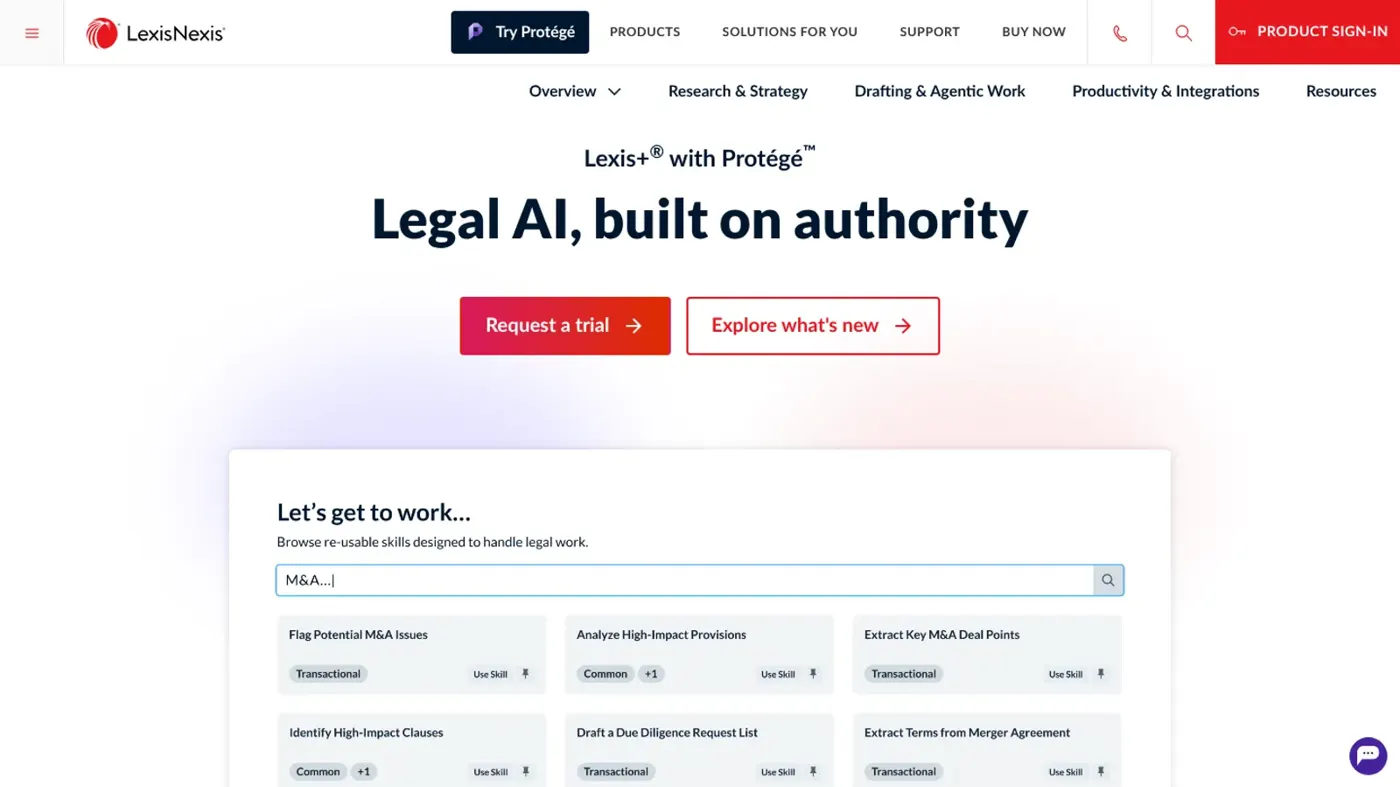
Our verdict on Lexis+ with Protégé (formerly Lexis+ AI), LexisNexis
Lexis+ with Protégé is a strong choice for firms already on Lexis, thanks to Shepard's-backed verification, Vault and native Word drafting. Skip it if you need transparent pricing, are a budget-conscious solo, or won't check every citation yourself.
Pricing Subscription by quote; 2-day free trial for small firms; out-of-plan AI tasks $60 (Ask, document Q&A) to $95 (summarize, drafting, skills) each
Visit Lexis+ with Protégé (formerly Lexis+ AI), LexisNexisLexis AI is LexisNexis's legal research and drafting assistant, and it doesn't exist under that name anymore: in February 2026 Lexis+ AI was replaced by Lexis+ with Protégé, a bigger platform built on the same idea. Is it worth it? For lawyers who already pay for Lexis, I think it's one of the safer AI bets around, because the answers are tied to real case law and Shepard's citations. For everyone else, the hidden pricing and a patchy accuracy record make it a harder sell.
So when people search for "Lexis AI", this is the product they'll land on. It's aimed squarely at lawyers.
Lexis AI at a glance
- Product: Lexis+ with Protégé (formerly Lexis+ AI), from LexisNexis Legal and Professional, part of RELX.
- Best for: law firms and in-house teams who already research on Lexis and want AI drafting, research memos and document review in the same place.
- Pricing: subscription quotes come from sales; there's a 2-day free trial for small firms, and out-of-plan AI tasks are listed at $60 to $95 each.
- Our rating: 4 out of 5.
- Website: lexisnexis.com
Lexis AI explained
Lexis+ AI launched as a chat-style legal assistant inside Lexis+: you asked a legal question, uploaded documents, asked for a summary or a first draft, and it answered with linked citations. LexisNexis now calls that version its "first-generation AI experience".
The replacement went into commercial preview in January and became generally available in the US in February 2026. It keeps the conversational research, drafting, uploads and summaries, then adds a workflow layer on top. At launch there were more than 300 pre-built workflows (drafting a motion to dismiss, redlining a contract against your own standards, summarising interviews) plus a no-code builder for firms that want their own.
Under the hood, the assistant draws on general models from Anthropic, Google and OpenAI. What it adds is the LexisNexis content library, which the company puts at more than 200 billion documents with about 4 million new ones a day, and Shepard's citation data. That combination is the whole pitch.
A general chatbot can write a slick brief; it can't check whether the case it cites was overruled last month.
Honestly, the renaming is a mess for buyers.
Old training videos, review sites and even some LexisNexis pages still say "Lexis+ AI", while the Protégé brand now also covers AI features in CourtLink, Intelligize and other LexisNexis products.
Key features
One prompt box for research and drafting
Everything starts from a single prompt box. You can pick your sources or let Protégé choose, and the latest release pulls in Lex Machina litigation analytics, CourtLink dockets, Intelligize filings and Law360 news alongside case law. A litigator could, in principle, ask how the assigned judge has ruled on similar motions and get that next to the governing authority and the firm's own past briefs.
Protégé skills and agentic drafting
In May, LexisNexis moved from a workflow library to what it calls skills: you describe a goal in natural-language prompts, Protégé shows a plan, then runs it. Skills cover contract comparison, complaint analysis, due diligence, compliance review and playbook-based review, and the newest release adds 100 more. Some skills are built by LexisNexis and some are powered by Anthropic's Claude. There are also drafting agents for contracts, motions, briefs and deal documents, which can follow your firm's templates and style.
Shepard's Verify
This is the feature I'd care about most if I were signing off filings. When it arrived in May, it flagged citations it couldn't find in LexisNexis sources, which only proves a case exists. The current version goes further: it now checks quotations and whether the cited authority actually supports the point it's used for, in both AI drafts and documents you wrote yourself.
That second check is the one that matters, since plenty of sanctioned lawyers cited real cases for things those cases never said.
Vault, Review Tables and Workrooms
Vault is the document store. It now holds up to 100,000 documents (up from 500), takes files up to 500 MB in 14 formats, and handles audio, video and images. Findings link back to the exact passage, spreadsheet row or video timestamp, so you can jump to the moment a witness says something in a deposition recording. Review Tables let you ask one question across every document in a matter and export the grid to Excel with sources attached.
Workrooms are shared matter spaces for firms, clients and co-counsel, with role-based permissions and a tamper-evident audit log. For security-minded firms there's also bring-your-own-key encryption, which LexisNexis says is already used at some AmLaw 100 firms.
Microsoft 365 and document systems
Protégé works inside Word, Excel, PowerPoint, OneNote, Teams and Outlook, and it connects to iManage, SharePoint, OpenText and Google Drive so answers can draw on your own work product. Drafts now come out as native Word files that keep styles, numbering, footnotes and tracked changes. Small thing, big time saver (anyone who's pasted AI text into a pleading template knows the pain).
Lexis AI pricing and plans
LexisNexis doesn't publish subscription prices for Lexis+ with Protégé. You get a quote. It depends on firm size, content packages and contract length. That's normal for legal research, but it makes comparison shopping slow.
What is public is the small law price schedule, which lists what AI tasks cost when they fall outside your flat-rate subscription:
| Item | Out-of-plan list price |
|---|---|
| Generative AI Ask | $60 |
| Generative AI Summarize | $95 |
| Generative AI Drafting | $95 |
| Document upload and ask | $60 |
| Document upload and summarize | $95 |
| Generative AI Skills | $95 |
| Subscription (flat rate) | Quote from sales |
Those numbers surprised me.
$95 for a single summary is steep, so you'll want AI use written into your plan rather than paying per task. There's no free plan; the closest thing is a 2-day free trial for small firms, which is short for judging a research tool properly.
Performance and independent testing
There's no fresh, public benchmark of Lexis+ with Protégé yet, so the independent evidence mostly covers the older Lexis+ AI. Keep that in mind. The product has changed a lot since.
The best-known test came from Stanford RegLab and HAI researchers in 2024. They ran more than 200 legal queries through the leading tools and found Lexis+ AI gave incorrect information more than 17% of the time. Westlaw's AI-Assisted Research did worse, at more than 34%. LexisNexis pointed out that its tool gave accurate answers far more often than the Thomson Reuters product, which was true, but one wrong answer in six is still a lot for court work.
In Canada, a law professor who tested Lexis+ AI for CBA National in 2024 found references to legislation that doesn't exist, headnotes passed off as case summaries and real legal errors. His conclusion was blunt: "Given its current limitations, I cannot recommend this to my law students, and I would not use it for my own legal research at this time". He did note that when the tool hyperlinked a case or statute, the link was real.
Then there's the Vals Legal AI Report from February 2025, which tested legal AI tools on tasks set by law firms. Lexis+ AI was evaluated at first but withdrew from the sections that were published, while Harvey and CoCounsel took the top scores. I'd read that as a missed chance, not proof of anything. Still, it means there's less outside data on Lexis than on its rivals.
My guess is that the newer Shepard's Verify checks address some of these failures, since the main complaint was wrong or unsupported citations. Still, nobody outside LexisNexis has published numbers on that yet, so treat it as promising rather than proven.
Best suited to
Lexis+ with Protégé fits firms that already live in Lexis+, Practical Guidance and Shepard's. The AI is grounded in content you're already paying for, and features like Review Tables and Vault probably save the most time on document-heavy litigation and due diligence.
I suspect large firms get the most out of it: Workrooms, own-key encryption and custom skills are built for teams with knowledge managers. Solo lawyers can buy it, but the opaque pricing and $60 to $95 per out-of-plan task make me think many will find it hard to justify unless they negotiate AI use into the subscription.
It's a poor fit if you don't practise law.
Paralegals and law students may get access through their firm or school, but I wouldn't buy it as a general writing assistant.
For background on where this all goes, our guide to AI in law firms and our look at whether lawyers will be replaced by AI are a good start.
Lexis AI alternatives
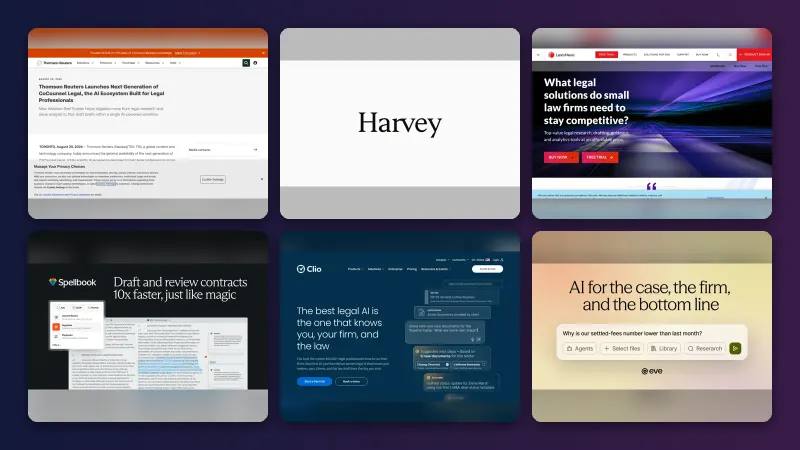
Westlaw and CoCounsel
Thomson Reuters is the obvious rival, with Westlaw for research and CoCounsel for drafting and document work. CoCounsel scored well across all four tasks it entered in the Vals study. If your firm runs on Westlaw and KeyCite, switching just for AI makes little sense. See our Westlaw AI review and CoCounsel review.
Harvey
Harvey is the big independent legal AI platform, popular with large firms. It took the top score on five of the seven tasks it entered in the Vals study, and it doesn't own a case law library the way LexisNexis does, which is exactly the gap Lexis is selling against.
Spellbook
Spellbook is a contract drafting and review tool that works inside Word. If transactional work is your main job and you don't need a research database, it's probably a simpler and cheaper buy.
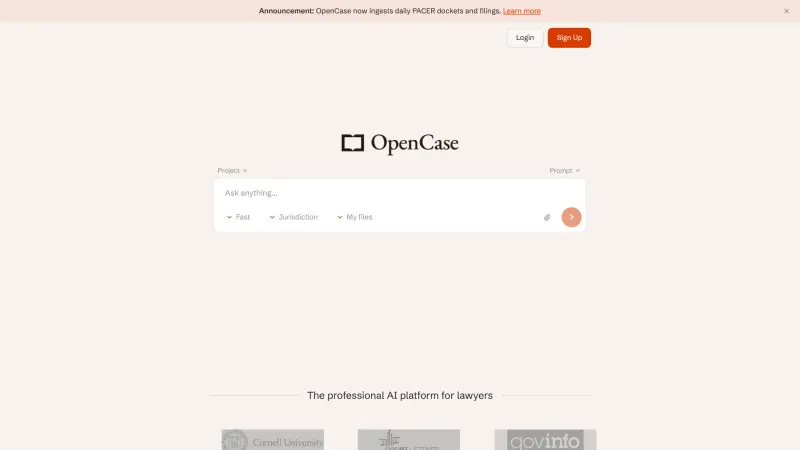
Our Spellbook review covers it, and our list of the best lawyer AI tools has more options, including smaller ones like Open Case AI.
Verdict: should you use Lexis AI?
If you're already a Lexis subscriber, yes, I'd at least run the trial and push your account manager to bundle AI into your plan. The Shepard's-backed verification is the strongest reason to pick it over a general chatbot, and the Word output and Vault upgrades look genuinely useful for daily work.
Skip it if you want clear prices.
Skip it, too, if you're a solo on a tight budget or if you'd be relying on it without checking every citation. The older version's error rate was real.
Until independent testers publish numbers on Protégé, I'd treat its drafts the way you'd treat a capable first-year associate's: helpful, quick, and never filed without a read-through.
FAQ
Is Lexis AI the same as Lexis+ with Protégé?
Yes. LexisNexis renamed Lexis+ AI to Lexis+ with Protégé in February 2026. It keeps the old research, drafting and upload features and adds workflows, skills, Vault, Workrooms and Shepard's Verify. Older pages may still say Lexis+ AI.
How much does Lexis AI cost?
LexisNexis doesn't publish subscription prices, so you'll need a quote. Its small law price schedule lists out-of-plan AI tasks at $60 for an Ask or document question and $95 for a summary, draft or skill. Small firms can sign up for a 2-day free trial before buying, and I'd use it to check how often your usual research tasks would fall outside a flat-rate plan.
Does Lexis AI hallucinate?
It can. A 2024 Stanford study found the older Lexis+ AI gave incorrect information more than 17% of the time. The current Shepard's Verify feature checks citations, quotations and whether authority supports a point, but you should still read every case before relying on it.
Is there a free version of Lexis AI?
No, there's no free plan. Small firms can request a 2-day free trial of Lexis+ with Protégé, and law students may get access through their school's LexisNexis subscription. Outside those routes, you'll need a paid Lexis+ subscription with AI included, priced through LexisNexis sales. Given the $60 to $95 out-of-plan charges, it's worth confirming that AI tasks are covered before you sign.
Which AI models does Lexis AI use?
Lexis+ with Protégé combines LexisNexis content with general AI models from Anthropic, Google and OpenAI, coordinated by a LexisNexis orchestration layer. Some Protégé skills are powered by Anthropic's Claude. You can't freely pick any model, but you can choose which sources the answer draws on.
What we like
- Answers grounded in LexisNexis case law, statutes and Practical Guidance with linked citations
- Shepard's Verify checks citations, quotations and whether authority supports the point
- Vault holds up to 100,000 documents, including audio and video with timestamped findings
- Native Word drafting that keeps styles, footnotes and tracked changes
- Hundreds of pre-built workflows and skills plus a no-code builder
What could be better
- No public subscription pricing; out-of-plan AI tasks cost $60 to $95 each
- Independent tests of the older Lexis+ AI found wrong answers more than 17% of the time
- Withdrew from the published sections of the 2025 Vals legal AI benchmark
- Only a 2-day trial and no free plan