Qualcomm AI Hub review 2026: free on‑device AI tools, features and verdict
Qualcomm AI Hub is a free developer service for optimizing and testing AI models on real Snapdragon devices. Here's what it does well, where it breaks and who should use it.
 Written byDr. Alap ZahidReviews And Guides Editor
Why you can trust The AI Future
Our writers research every product from its official pages, independent tests and user reports, link each claim to its source and correct mistakes openly. Unless an article says otherwise, we haven't tested the product hands-on ourselves. Companies can't pay for coverage or see reviews before they're published.
Read our editorial policy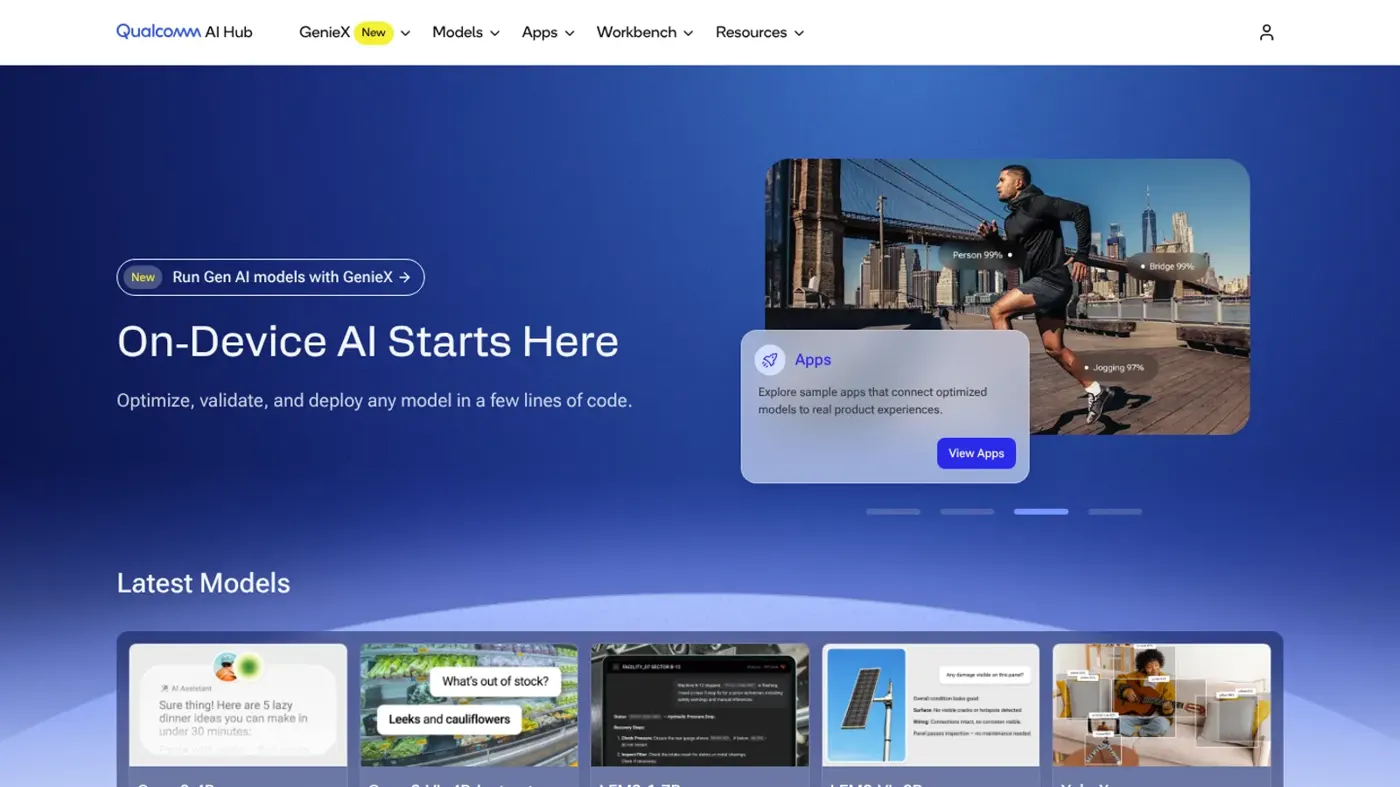
Our verdict on Qualcomm AI Hub
Qualcomm AI Hub is close to a must-use for developers shipping models on Snapdragon phones, PCs or IoT boards, thanks to free profiling on real hardware. Skip it if Qualcomm isn't in your hardware plans or you're not comfortable with Python.
Pricing Free: Workbench (compile, quantize, profile on hosted devices) and 'download now' models; some partner models sold separately; GenieX open source
Visit Qualcomm AI HubQualcomm AI Hub is a free developer service that takes an AI model, squeezes it down for Snapdragon chips and then runs it on real phones, laptops and boards in Qualcomm's cloud so you can see how fast it really is. If you build apps or devices on Qualcomm hardware, I think it's an easy yes: the Workbench costs nothing and the model library is huge. If you were hoping for a chatbot app called "AI Hub", this isn't it (more on the name mix-up in the FAQ).
I gave this review one question to answer: does AI Hub save a developer real time, or is it a glossy front end for Qualcomm's own SDKs? Mostly the first, I'd say. It does have sharp edges, and they're the kind that only show up once your model is bigger or stranger than a phone-sized vision network.
Qualcomm AI Hub at a glance
- Rating: 4 out of 5.
- Best for: Android, Windows on Snapdragon and IoT developers shipping on-device models.
- Pricing: the Workbench is free; a few partner models are sold separately.
- Website: aihub.qualcomm.com.
Qualcomm AI Hub in brief
AI Hub is Qualcomm's developer front door for AI. It was announced in February 2024 with more than 75 pre-optimized models, including Whisper and Stable Diffusion, and it's grown a lot since. The homepage now promises more than 300 ML and generative models, plus "a few lines of code" to "optimize, validate, and deploy any model".
It has four parts. Models is the catalogue of pre-optimized networks with published speed numbers. Workbench is the cloud service where you upload your own model, compile it, quantize it and profile it on hosted hardware. Apps is a set of sample app repositories. GenieX, the newest piece, is a runtime for running large language and vision-language models locally.
Who's it for? Developers, plain and simple. There's no consumer app here. You sign in with a Qualcomm ID, grab an API token from the settings page and do most of the work from Python or the command line.
Uptake looks real. A year after launch, Qualcomm said more than 1,800 companies, including Meta, Samsung and Amazon, had used AI Hub to optimize and deploy models. That's Qualcomm's own count, so treat it as a ceiling rather than an audited figure.
Key features
Workbench: compile, quantize and profile on real devices
This is the heart of it. You hand Workbench a trained PyTorch or ONNX model, pick a target device and a runtime (LiteRT, ONNX Runtime or the Qualcomm AI Runtime), and it returns a deployable file. Then you can profile it on one of 50+ types of Qualcomm devices hosted in the cloud.
The bit I like most is that these are physical devices, not simulators. The Workbench FAQ describes "thousands of real devices hosted through multiple device farms": for each job, Qualcomm fetches a device, installs the OS and frameworks, runs only your model on it and then releases it. You get per-layer timing, load and inference times, memory use and which compute unit (NPU, GPU or CPU) each layer actually landed on. For anyone who's ever bought three test phones just to check latency, that's a big deal.
Targeting is flexible. You can name a specific device, a device family such as "Samsung Galaxy S25 (Family)", or any device with a given chip, and running qai-hub list-devices shows what's available.
AI Hub Models: a pre-optimized catalogue
If you don't have a model yet, the catalogue is the obvious starting point. Each entry lists performance numbers measured on Qualcomm hardware, and you can filter by precision to find quantized versions. The open-source ai-hub-models repository is BSD-3-Clause licensed, has about 1,300 GitHub stars and is clearly busy, with more than 1,500 commits.
One small annoyance: the FAQ still talks about "150+ optimized models" while the homepage says 300+. That's probably just a stale page, but it's the sort of drift that makes me double-check everything else in the docs.
Licences matter here. Each model keeps its own licence, listed on its page, and you're expected to follow it. Models marked "download now" are free to use; a handful from partner model-makers are for purchase, and you have to contact Qualcomm about those.
Bring your own model and data
Bring your own model (BYOM) is open to everyone. You can also take a model straight from Hugging Face, trace it, and submit a compile job. Qualcomm added bring-your-own-data support with partners such as Amazon SageMaker, so you can fine-tune or calibrate with your own samples.
There's a reassuring line on IP, too. If you bring your own model, the optimized files you get back typically keep your model's distribution licence, so Qualcomm doesn't end up owning your work.
GenieX for local generative AI
GenieX arrived as a developer preview in June (it was previously called NexaSDK, going by Qualcomm's announcement). It runs GGUF models from Hugging Face, ModelScope or Docker Hub, or pre-compiled AI Hub bundles, on the Hexagon NPU, Adreno GPU or CPU.
The interfaces are generous: a CLI for Windows ARM64 and Linux ARM64, a Python SDK, an Android SDK on Maven Central, Docker images for IoT boards and a local server that speaks the OpenAI API. That last one is the sleeper feature, in my view. You point the standard openai Python client at a local address and reuse code you already have. The GenieX repository is BSD-3-Clause and sits at roughly 8,500 stars.
Still, it's a preview. Expect things to change.
Sample apps and support
The Apps section gives you templates for wiring an optimized model into a native Android or Windows app. Support runs through a public Slack community and an email address, and you can share a job (with its model files) with Qualcomm engineers by clicking "Share" on it. That's more hands-on help than most free developer services give you.
Qualcomm AI Hub pricing and plans
There's no subscription. In the FAQ's words, Workbench is "currently completely free to use", and that includes compiling, quantizing and running inference jobs on hosted devices.
| Part | Price | What you get |
|---|---|---|
| Workbench | Free | Compile, quantize, profile and run inference on hosted Qualcomm devices |
| AI Hub Models ("download now") | Free | Pre-optimized open-source models; each model's own licence applies |
| Partner models | Contact Qualcomm | Some models from model-makers are sold under their licences |
| GenieX | Free (BSD-3-Clause) | On-device runtime for LLMs and VLMs, still in developer preview |
The free plan, in other words, is the whole product. The word "currently" is doing some work in that sentence, though. Qualcomm makes its money selling chips, and giving away tooling that helps people ship on Snapdragon makes commercial sense, so I'd guess Workbench stays free for a good while. I wouldn't bet a product roadmap on it, mind you.
Performance and independent testing
I couldn't find a proper independent benchmark of AI Hub itself. What exists is Qualcomm's own per-model numbers (which come from real hardware, at least) and a closely related test from Google.
When Google launched its LiteRT accelerator for Qualcomm NPUs in November 2025, it benchmarked 72 common vision, audio and language models. NPU acceleration gave up to a 100x speedup over CPU and 10x over GPU, 64 of the 72 models ran fully on the NPU, and on the Snapdragon 8 Elite Gen 5 more than 56 models ran in under 5ms. Google also called out .tflite models from Qualcomm AI Hub as a source that's now easier to drop into production. It's not a test of AI Hub's compiler as such, but it does show the hardware path AI Hub feeds into works well.
The weak spots are documented, which I respect. Compile jobs can fail when a model is larger than 2GB, when it won't export cleanly from PyTorch, or when an LLM hasn't been quantized first. Some layers "fall off" the NPU because of unsupported operations (rank 5 and above is more limited), and they drop back to GPU or CPU. Occasionally the whole network does. For simple vision models that probably won't bite you; for anything exotic, plan for some back-and-forth on Slack.
One more gotcha. If you want the full qai_hub_models package on a Snapdragon X Elite or X2 Elite laptop, you need AMD64 Python on Windows, because installation fails with ARM64 Python. That's a little ironic for a Snapdragon tool. Honestly, it's the kind of detail that costs a beginner an afternoon.
Want a primer on the techniques involved first? Our guide on how to optimize AI models covers quantization and pruning in plain terms.
Best suited to
AI Hub fits best if you're shipping a model to Snapdragon phones, Windows on Snapdragon laptops, cars or IoT boards and you need real latency numbers before launch. Small teams get the most from it, because free access to dozens of device types replaces a drawer full of test hardware.
It's a weaker fit if you target Apple devices, Nvidia Jetson boards or a mixed fleet where Qualcomm is a minority. And if you're a student just curious about AI, you'll want some Python and PyTorch first; our list of AI courses for beginners is a gentler on-ramp, and our explainer on what an AI model is covers the basics. Not sure whether you even need on-device inference? Our edge AI vs cloud AI comparison weighs the trade-offs.
Qualcomm AI Hub alternatives worth considering
Google LiteRT
LiteRT, the successor to TensorFlow Lite, is Google's cross-platform on-device runtime for mobile, web, desktop and IoT, with CPU, GPU and NPU acceleration and direct export from PyTorch, TensorFlow and JAX. It's free and works beyond Qualcomm chips, which makes it the better default for a broad Android audience. It doesn't give you a farm of hosted test devices, though.
ONNX Runtime
ONNX Runtime is a free, open-source inference engine with a separate package for generative AI. It runs on almost anything and is one of AI Hub's own output targets, so you can pair the two. On its own it won't profile your model on 50 device types.
Apple Core ML
If your users are on iPhone, iPad or Mac, Core ML is the native route, and AI Hub can't help you there at all.
Verdict
For developers building on Qualcomm hardware, I'd call AI Hub a near-automatic recommendation. Free cloud access to real Snapdragon devices, measured per-layer results and a 300-plus model catalogue are things you'd otherwise pay for in hardware and hours. GenieX's OpenAI-compatible local server is a nice bonus for anyone experimenting with local LLMs.
I'm holding back a point for the rough edges: compile failures on large or unusual models, NPU fallbacks you need to debug, docs that disagree with each other and a "currently free" promise with no guarantee attached.
Skip it if Qualcomm isn't in your hardware plans. Use it if it is.
FAQ
Is Qualcomm AI Hub free?
Yes. Workbench, including jobs on hosted Qualcomm devices, is currently completely free to use, and "download now" models are free under their own licences. Only a few partner models cost money.
Is Qualcomm AI Hub the same as the "AI Hub" chatbot apps?
No. There's an open-source Android app called AI Hub that wraps more than 70 chatbots, and an iPhone app called "AI Hub: 50+ models ChatLLM". Neither is from Qualcomm. Qualcomm AI Hub is a developer service for optimizing and deploying models on Snapdragon-powered devices, with no consumer chat app attached.
Do I need a Snapdragon device to use it?
Not to get started. Workbench compiles and profiles your model on Qualcomm devices hosted in the cloud, so you can test on dozens of chips from any computer. You'll need real Qualcomm hardware to ship the result, of course. GenieX is a bit different: its command-line tools run on Windows ARM64 or Linux ARM64 machines, and for IoT boards Qualcomm suggests its Docker images, so plan on having at least one Snapdragon device on your desk once you get past the profiling stage.
Which model formats does it accept?
Workbench takes trained PyTorch and ONNX models, including AIMET-quantized ones, and converts them to LiteRT, ONNX Runtime or the Qualcomm AI Runtime. GenieX runs GGUF models from Hugging Face, ModelScope or Docker Hub, plus pre-compiled AI Hub bundles. Models over 2GB often fail to compile.
Can I run an LLM on a phone with AI Hub?
Yes, with some work. Large models usually need quantizing before they'll compile, and Qualcomm has an LLM tutorial for that. The simpler route now is probably GenieX, which runs quantized GGUF models on the Hexagon NPU and recommends Q4_0 precision for the best NPU support.
For free models you can run elsewhere, see our roundup of the best free AI models.
What we like
- Workbench is free, including jobs on real hosted Qualcomm devices
- Per-layer timing and NPU/GPU/CPU placement measured on physical hardware
- Large pre-optimized catalogue (300+ models) with published performance numbers
- Exports to LiteRT, ONNX Runtime or Qualcomm AI Runtime
- GenieX adds an OpenAI-compatible local server for on-device LLMs
What could be better
- Only useful if you target Qualcomm hardware
- Models over 2GB and many LLMs fail to compile without extra work
- Unsupported ops can push layers off the NPU, which takes debugging
- Docs disagree in places, and 'currently free' carries no long-term promise