Coram AI review 2026: AI video security, pricing, pros and cons
Coram AI adds AI search, alerts and investigation agents to the security cameras you already own. We weigh its features, quote-only pricing and privacy trade-offs.
 Written byRahis SaifiCo-founder and news editor
Why you can trust The AI Future
Our writers research every product from its official pages, independent tests and user reports, link each claim to its source and correct mistakes openly. Unless an article says otherwise, we haven't tested the product hands-on ourselves. Companies can't pay for coverage or see reviews before they're published.
Read our editorial policy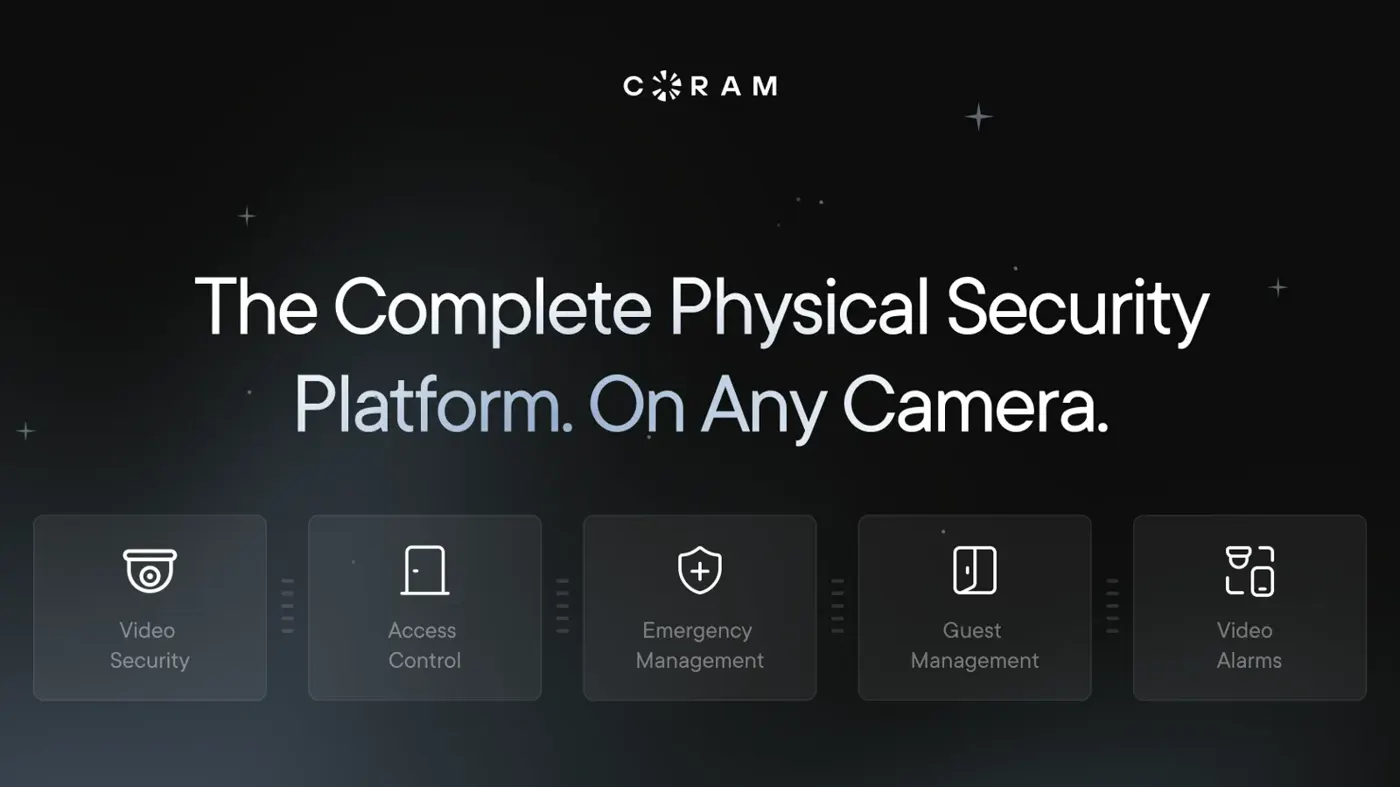
Our verdict on Coram AI
Coram AI is a strong choice for schools, manufacturers and multi-site organizations that want AI search and investigation on cameras they already own. Small businesses and homeowners should skip it, given quote-only pricing and features built for larger security teams.
Pricing Quote only: per-camera Video Security licence (1, 3, 5 or 10 years) plus a one-off Coram Point purchase; Coram cameras free with subscription; no free plan
Visit Coram AICoram AI is a physical security platform that adds AI search, alerts and investigation agents to the security cameras a business already owns. For schools, factories, churches and multi-site companies with a pile of IP cameras and no time to scrub footage, I think it's one of the more convincing options right now. It isn't for homes or tiny shops, though, and you won't see a price until you talk to sales.
The company's pitch is simple. Plug a Coram box into your network, connect your cameras, and type "person in a yellow jacket by the east entrance" instead of scrolling through eight hours of video. The harder questions are cost, privacy and how much of the AI you'll actually use.
Coram AI overview
Coram AI is a San Francisco Bay Area company founded about four years ago by Ashesh Jain (now CEO) and Peter Ondruska. On June 10 it announced a $35 million Series B, co-led by Ansa Capital and Battery Ventures, which brought total funding to $66 million. More than 1,500 organizations across North America use it, the company says.
It started as a video security product. It's now five product lines sharing one dashboard: Video Security, Access Control, Emergency Management, Guest Management and, since October 20, Video Alarms. Emergency Management and Guest Management both launched earlier this year.
The core idea hasn't changed, and it's the part I find most sensible. Coram doesn't ask you to rip out your cameras. A small on-site appliance called the Coram Point does the recording and the AI work locally, on NVIDIA chips, and the cloud dashboard sits on top. If a camera gives an RTSP stream, it can usually be connected.
That's a real difference from vendors that want you to buy their cameras first. It's also why I'd file Coram under "practical" rather than "flashy".
Key features
Natural-language video search
This is the headline feature. You describe what you're after in plain words, and Coram returns matching clips from across your cameras, each with its camera name and timestamp. On the AI search page, the advice is to give two or three specific details, such as clothing colour, location and time of day.
Search runs on the Coram Point, not in the camera. So when Coram adds a capability, it arrives on old cameras through a software update. Coram also says footage is never sent to an external LLM, which matters if you're a school or a clinic.
Deep Investigation agents
Deep Investigation is the newer, more ambitious layer. Instead of finding one clip, you ask a research-style question (how long the fire drill took, how often a waiting room filled at peak hours), and autonomous agents work across cameras, door logs and visitor records to produce a report. It's included with every Video Security subscription, which surprised me a little; I'd expected it to be an upsell.
In September, Coram added scheduled tasks to its assistant. You can turn a daily question like "who came through the loading dock after hours?" into a task that runs daily, on weekdays, weekly or monthly. There's a limit, though: each user can keep only two tasks active at once, going by the September release notes.
Alerts: weapons, tailgating and more
The detection list is long. It includes gun detection alerts, face recognition, licence plate reading, people and vehicle analytics, tracking a person across cameras, and "productivity alerts" for things like dock delays. On the access side, Coram flags tailgating, forced doors and doors held open in real time.
A feature called Journey Path stitches sightings of one person or vehicle into a single video. The investigator confirms each match as it builds, which I think is the right design for something this sensitive.
Access control and emergency tools
Coram's access control replaces the door controller but keeps your existing readers, locks and cabling, including ASSA ABLOY Aperio wireless locks. Most existing cards and fobs keep working. You can lock one building or every site from a phone, and doors can lock automatically when someone triggers an emergency.
Guest Management handles visitor check-in and background screening. Since September, admins can choose exactly which records hold a guest for approval: by offence type, severity, court outcome and how old the record is. Front-desk staff see that a guest is held and why; full details stay with admins.
Video Alarms
Video Alarms is the after-hours piece. You arm chosen cameras on a schedule. When the AI spots a person or vehicle, a trained reviewer at Coram's dispatch partner checks the clip before calling your contacts, and optional Automatic Dispatch can open a 911 call. It's available in all 50 US states and Washington, D.C., and every alarmed camera also needs a Video Security licence.
Privacy and security controls
Coram is SOC 2 Type II audited and says it's HIPAA compliant, with SSO, MFA, role-based access and audit logs. Video is stored on the device at your site, and shared links expire. Those details are listed on its Trust Hub.
The newest privacy tool is Blur Face. When you download a clip of up to 10 minutes, Coram can blur every detected face, or you pick who stays visible. Blurred files also carry a check that anyone can use to confirm the clip hasn't been altered. I like that one a lot, because footage shared with parents or a court is exactly where bystanders get exposed.
Coram AI pricing and plans
Coram doesn't publish prices. On the pricing page, cost depends on the number of locations, the camera types and how many days of storage you want, and you get a figure by requesting a quote. The structure is clear, even if the numbers aren't.
| Part | How it's charged | What's included |
|---|---|---|
| Video Security licence | Per camera, for 1, 3, 5 or 10 years | Cloud dashboard, unlimited user seats, AI features, Deep Investigation, 24/7 online support |
| Coram Point (AI NVR) | One-off purchase, no leasing | On-site recording and AI processing; full warranty during the licence |
| Coram cameras | Free with the software subscription, if you need them | 5MP NDAA-compliant IP cameras; you keep them if you don't renew |
| Video Alarms | Quote only | Human-verified alarms; each camera also needs a Video Security licence |
Is Coram AI free?
No. There's no free plan you can sign up for and use indefinitely. The site's menu has a "Try for free" link, but the details sit behind a sales conversation, so I wouldn't count on a self-serve trial.
The part I'd call genuinely buyer-friendly is the exit. If you don't renew, you keep the free Coram cameras, which should work with another NVR, and you keep the Coram Point you paid for. That's a fair deal compared with leased hardware.
You'll need at least one Coram Point per site if sites sit on different local networks. Factor that in for a chain of small locations.
Performance and independent testing
No independent lab test of Coram's accuracy has been published, as far as I can tell. That's common in this market, but it means the performance claims mostly come from Coram and its customers.
Coram's About page shows a 4.9 out of 5 rating from 189 reviews, linked to G2, and claims more than a billion events processed daily. G2 user feedback points to the same strengths users keep raising: fast setup with existing cameras, a simple interface and responsive support. It also lists the weak spots: occasional software freezes, mobile playback lag and false positives from face recognition.
Customer stories give a sense of real use, with the usual caveat that they're picked by the vendor. Hershey's Ice Cream says it used to halt production and throw away whole batches whenever a metal detector went off; with Coram it can find the exact moment of risk in minutes. Salem High School swapped old cameras for weapon detection and plain-language search. Lakepointe Church in Dallas covers more than 30,000 people across 8 campuses on cameras it already owned.
Setup speed seems to be the most consistent praise. The Coram Point is pitched as a 10-minute install with no VPN or firewall changes, and it uses about 30kbps per camera when nobody's watching live. One customer quoted on Coram's site called it "the only system we demoed that just worked out of the box."
The privacy trade-off deserves a plain mention. The same platform sells face recognition, plate reading and weapon detection into schools, churches and workplaces. Local processing and face blurring help. Still, any organization turning these features on probably needs a written policy first, and in some places a legal review. If you're new to the topic, our explainer on whether facial recognition counts as AI is a decent primer.
Best suited to
Coram makes the most sense for organizations with existing IP cameras and a security or IT team that's tired of scrubbing footage. Schools and districts are an obvious fit, given the weapon detection, visitor screening and emergency lockdown tools. So are manufacturers, warehouses and multi-site operators that want one login across locations.
It's a poor fit for homeowners, renters and very small shops. There's no consumer plan, prices are quote-only, and the value comes from features a two-camera setup won't use.
Companies outside North America should ask questions early. Coram has an office in London, but its customer base and Video Alarms service are US-focused.
Coram AI alternatives worth considering
All three below sell to the same buyers, and I'd get quotes from at least two before signing.
- Verkada is the big name in cloud-managed physical security, with more than 30,000 organizations, it says. Its Command platform covers cameras, access and alarms, and it can now bridge existing cameras, though it's best known for its own hardware.
- Spot AI is the closest match to Coram: it works with existing cameras through an on-site video recorder and pitches AI agents for security and operations. It also offers free NDAA-compliant cameras.
- Rhombus is a cloud physical security platform that leans on open, interoperable hardware and AI-powered search. It's worth a look if you want an alternative with its own camera range.
For a wider view of the security vendors using AI, see our guide to AI cybersecurity companies. And if the "agent" language is new to you, our page on agentic AI explains what these tools mean by it.
Verdict
I'd rate Coram AI 4 out of 5.
Its strongest case is economic: it turns cameras you've already paid for into searchable, AI-assisted ones, and you keep the hardware if you leave. The plain-language search and Deep Investigation agents look like the real deal for teams that spend hours on footage.
What holds it back is mostly what you can't see. Prices are hidden behind a quote, there's no independent accuracy testing, and the face recognition features carry privacy risk that a buyer has to manage. Honestly, if you run a school district or a group of plants, I'd book the demo. If you're a single small business, I'd probably skip it.
FAQ
What is Coram AI?
Coram AI is a physical security platform for businesses, schools and other organizations. It connects to existing IP cameras through an on-site box called the Coram Point and adds AI video search, alerts, investigation agents, access control, visitor management, emergency tools and verified alarms, all managed from one cloud dashboard and a mobile app.
How much does Coram AI cost?
Coram doesn't list prices. You pay a per-camera software licence for 1, 3, 5 or 10 years, plus a one-off purchase of the Coram Point. The quote depends on locations, camera types and storage days. Coram cameras come free with the subscription if you need them, and you keep them if you leave.
Does Coram AI work with existing cameras?
Yes, in most cases. Any IP camera with an RTSP stream can connect, Coram says, which covers most major brands. The AI runs on the Coram Point, so older cameras still get new features. Analog cameras would likely need adapters.
Is Coram AI safe for privacy?
Coram is SOC 2 Type II audited, stores video on site and doesn't send footage to an external LLM. It also offers face blurring for shared clips. But it sells face recognition and licence plate reading, so the real privacy risk depends on how each organization configures it, who gets access and what written policies it sets before switching those features on.
Who owns Coram AI?
Coram AI is a privately held company co-founded by Ashesh Jain, its CEO, and Peter Ondruska. It has raised $66 million in total, including a $35 million Series B in June co-led by Ansa Capital and Battery Ventures, with UP Partners, 8VC and Mosaic Ventures also investing.
What we like
- Works with most existing IP cameras via RTSP, so no rip-and-replace
- Plain-language video search and Deep Investigation agents included with Video Security
- AI runs on site on the Coram Point; footage isn't sent to an external LLM
- You keep the free cameras and the Coram Point if you don't renew
- Video, access control, visitors, emergencies and alarms in one dashboard
What could be better
- No public prices: every deal is quote-only
- No independent accuracy testing published
- Face recognition and plate reading raise privacy questions buyers must manage
- User feedback on G2 mentions occasional freezes and mobile playback lag
- Video Alarms is US-only and needs a Video Security licence per camera